USB D-Byte
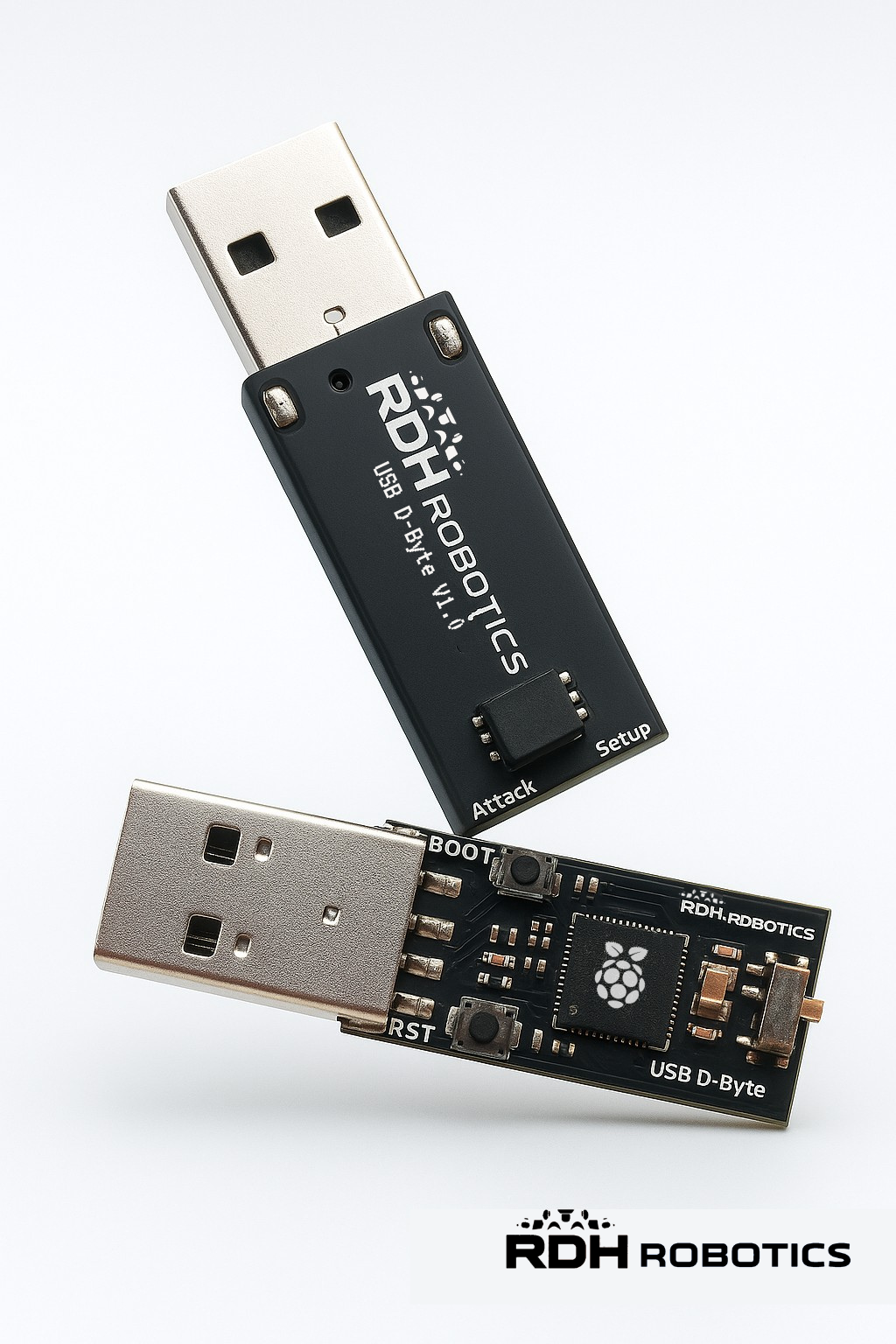
USB D-Byte is a compact thumb-drive-sized RP2040 development board engineered by RDH Robotics for HID automation, BadUSB research, embedded prototyping, and security lab experiments.
Plugging directly into any standard USB-A port, USB D-Byte emulates human interface devices (keyboards, mice), mass storage, or virtual serial ports depending on the firmware loaded.
Educational & Security Research Hardware
Use only in systems you own or have explicit written permission to test. RDH Robotics products are intended for education, research, and authorized development workflows.
Technical Specifications
| Feature | Technical Specification | Details |
|---|---|---|
| Microcontroller | Raspberry Pi RP2040 | Dual-core 32-bit ARM Cortex-M0+ @ 133 MHz |
| Storage | 16 Megabytes SPI Flash | High-capacity flash for payloads, scripts, and logs |
| Form Factor | Thumb-Drive USB-A | 47mm × 18mm × 8mm compact PCB format |
| Mode Switch | 2-Position Slide Switch | Dedicated hardware switch for Attack & Setup modes |
| Connector | Direct USB-A Male Plug | Plugs straight into computers, laptops, and USB hubs |
| Hardware Controls | Tactile Push Buttons | Dedicated BOOT and RESET buttons for instant recovery |
| Status LED | Onboard Programmable LED | Visual feedback for payload status and trigger states |
Core Capabilities
- Direct USB-A Interface: No cables required; inserts cleanly into host ports for instantaneous payload execution or serial debugging.
- Hardware Mode Switch: Toggle between Setup mode (mounting mass storage / REPL for safe script editing) and Attack mode (active execution) without risking accidental triggers.
- Massive 16MB Storage: Ample space for multi-stage payloads, extensive payload wordlists, log capture, and MicroPython / CircuitPython runtimes.
- Multi-Runtime Ecosystem: Natively supports CircuitPython, MicroPython, C/C++ Pico SDK, and Arduino core for RP2040.
Firmware & Flashing
Updating and configuring USB D-Byte is fast and straightforward:
1. Browser Web Flasher (Recommended)
You can flash official payloads and recovery images directly from your browser:
- Visit flasher.rdhrobotics.in
- Connect USB D-Byte and select the RP2040 / D-Byte target.
- Flash firmware with a single click via Web Serial.
2. UF2 Bootloader (Drag-and-Drop)
- Hold down the BOOT button on USB D-Byte.
- Insert USB D-Byte into your computer's USB port, then release the button.
- The board will mount as a mass storage volume named
RPI-RP2. - Drag and drop any compiled
.uf2binary file directly onto the drive. The device will automatically reboot and run the new firmware.
Official Resources
- Product Store Page: rdhrobotics.in/products/usb-d-byte
- Official Web Flasher: flasher.rdhrobotics.in
- RDH Robotics Website: rdhrobotics.in
- GitHub Repository: github.com/rdhrobotics